Yes, ChatGPT can make a QR code, but only one of the two ways it does it gives you a code that scans. When it builds the code by running a few lines of Python, you get a real QR code. When its image model draws one, you get a picture that looks like a QR code, and a phone camera won't read it.
We tested both in October 2026 on ChatGPT's free plan, with the same web address every time. The 7 codes ChatGPT built with code all scanned and opened the exact address. None of the 3 drawn by the image model scanned at all, even after we resized them and turned them into pure black and white.
That gap matters if you're about to print the code on a menu, a flyer or a business card, because the two kinds look almost identical on screen. On screen, nothing tells you which kind you've got until you point a phone at it.
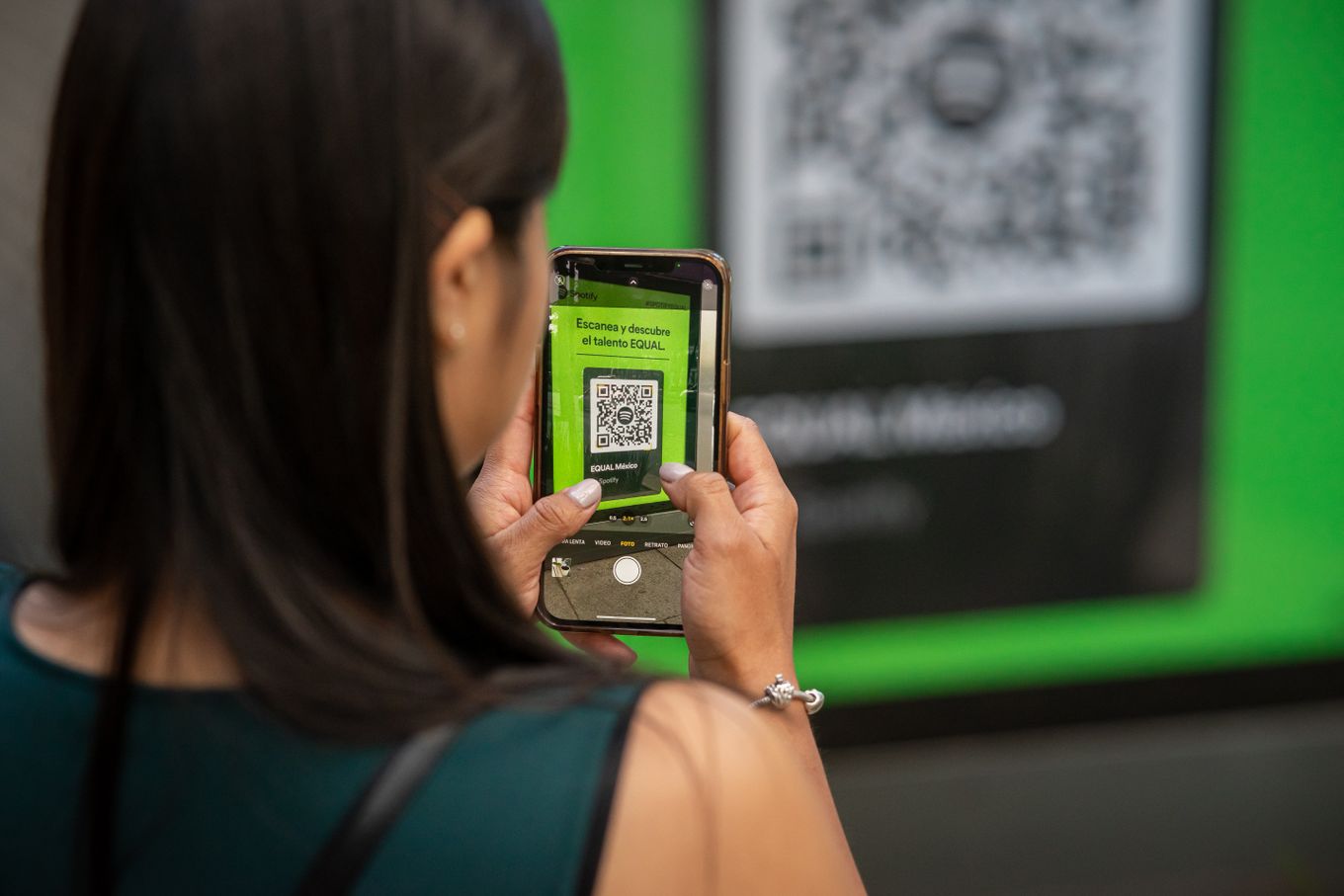
Photo by Julio Lopez on Pexels
Can ChatGPT make a QR code? It has two ways to do it
The first way is code. ChatGPT can write and run Python, the same way it does for spreadsheets and charts, and Python has free libraries that turn any text or web address into a correct QR code. While it works, ChatGPT shows a step such as "Analyzing" or, with Thinking switched on, something like "Generating QR code". The result is a plain, sharp image that ChatGPT gives you to download.
The second way is its image model, the one that makes illustrations and photos. You'll see "Creating image" while it works. The image model doesn't encode anything. It draws what a QR code looks like, based on the millions of images it learned from.
You don't always get to choose. In our test, the same request went down a different path depending on whether Thinking was switched on.
We tested it: 7 out of 7 vs 0 out of 3
On October 26, 2026, we used a free ChatGPT account and a fresh chat for every attempt:
- Thinking on, 5 times: "Create an image of a working QR code that links to https://cloistr.io"
- 2 times: "Use Python to generate a QR code PNG for https://cloistr.io"
- Thinking off, 3 times: the same request as the first one
We read every image with Apple's Vision framework, the barcode reader built into Macs and iPhones. We tried each one at full size, half size and quarter size, and again converted to pure black and white, to give the drawn codes every chance.
| Request | What ChatGPT did | Scanned | Opened the right address |
|---|---|---|---|
| Image, Thinking on | Built it with code | 5 of 5 | 5 of 5 |
| "Use Python" | Built it with code | 2 of 2 | 2 of 2 |
| Image, Thinking off | Drew it with the image model | 0 of 3 | 0 of 3 |
The surprise was the first row. We asked for an image, and with Thinking on, ChatGPT decided to build the code with Python anyway, then dressed some of them up with a caption such as "Scan to visit". With Thinking off, the same request went to the image model, and all three results failed.
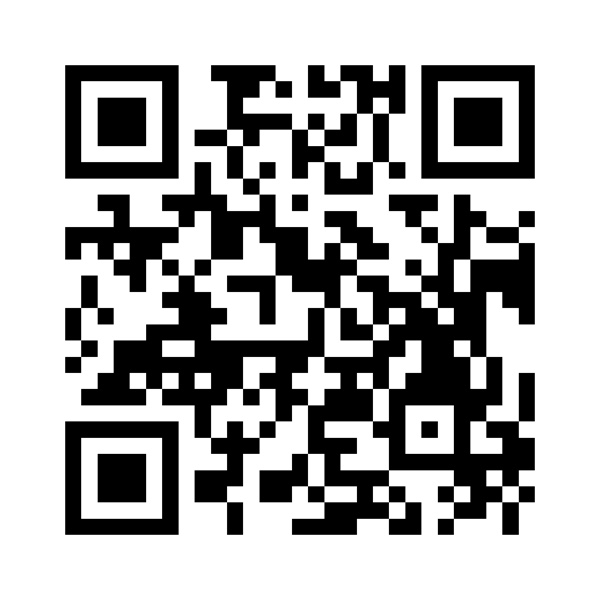
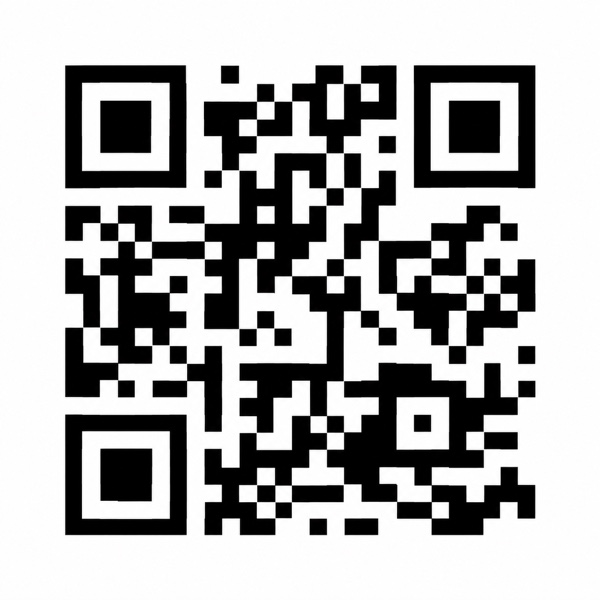
Side by side, both look like QR codes. The one on the right has everything a QR code needs except the part where it works.
Ten images is a small test: one web address, one plan, one day. Image models get updated often, and a newer version may do better. But it's enough to show that how ChatGPT makes the code decides whether it works.
Why AI-drawn QR codes don't scan
A QR code is closer to a sentence than a picture. The three big squares in the corners tell a scanner where the code is. A line of alternating black and white squares between them, called the timing pattern, tells it how big each small square is. The rest is your data, written in a fixed grid of equal-sized squares, plus extra error-correction data so a scanner can still read the code if part of it is scuffed or covered.
The image model gets the overall look right: corner squares, black-and-white blocks, a white border. Look closer at a drawn code and the small squares come in uneven sizes, and the timing pattern isn't there. A scanner can't find the grid, so it never gets as far as reading the data. Error correction can repair a smudge. It can't repair a pattern that was never a code to begin with.
This is the same problem as passwords written by a chatbot: the output looks right because the model learned what the real thing usually looks like.
You'll find claims online that ChatGPT's newer image model, released in April 2026 with a thinking mode that can reason and use tools while it works, now draws codes that scan most of the time. We couldn't find the tests behind those claims, and neither OpenAI's Images 2.5 announcement nor its Images 2.0 system card mentions QR codes. On the free plan, with Thinking off, we got 0 out of 3.
A QR code that scans can still be wrong
Scanning only proves the code holds some text. It doesn't prove it holds your text. If one character of the address is off, the code still scans perfectly and sends every customer to an error page, or to someone else's site.
Codes built with Python don't have this problem, because the library encodes exactly the address it's given. All 7 of ours opened https://cloistr.io with nothing added or missing. Still check before you print: scan the code, and read the address your phone shows before you tap it, letter by letter.
How to make a QR code with ChatGPT that works
Ask for code by name. A prompt like this keeps it off the image model:
Watch what ChatGPT shows while it works. "Analyzing", or a step about generating the code, means it's running code. "Creating image" means it's drawing, and you should ask again.
The free plan has a limit, though. After a handful of runs in one morning, ChatGPT told us Python analysis would be available again in 24 hours. Once that happens, the only route left is the image model, which is the one that didn't scan.
You can also skip ChatGPT for the code itself. Our QR code generator runs in your browser, lets you choose the error correction level and a download size up to 2048 × 2048 px for print, and gives you a PNG with no account and no limit. If you want ChatGPT to design the flyer or menu around it, have it leave a blank square and drop your real code in afterwards.
Before you print
- Scan it with two or three phones, ideally an iPhone and an Android, from the distance people will stand.
- Read the address each phone shows, not just the fact that something opened.
- Keep it dark on light, with a clear white border all the way around.
- Print a test copy at the real size before you order 500.
For how small a code can be, what to link it to and when a dynamic code is worth paying for, see our guide to creating a QR code for your business.
How we made this: researched and drafted with AI assistance, with any figures checked against their sources and the post reviewed by Hamza before publishing.
Frequently asked questions
Can ChatGPT make QR codes for free?
Yes. On the free plan, ChatGPT can build a working QR code with Python, which is how all 7 working codes in our test were made. Free accounts have a daily limit on that feature, though, and once you hit it, ChatGPT falls back to drawing the code, which didn't scan in our test.
Why is my QR code from ChatGPT not working?
Most likely the image model drew it. If ChatGPT showed "Creating image", the result is a picture of a QR code with nothing encoded in it. Ask it to use Python and the qrcode library instead, or make the code with a QR generator. If the code scans but opens the wrong page, check the address it contains.
Can Gemini, Claude or Copilot make a QR code?
The same rule applies to any chatbot: a working code comes from running code, and a drawn one probably won't scan. We only tested ChatGPT. Whatever you use, scan the result with a couple of phones before you print it.
Do QR codes made with ChatGPT expire?
No. A code ChatGPT builds with Python is a static code: the address is written into the pattern itself, with no redirect service in between. It keeps working for as long as the page it points to exists.